
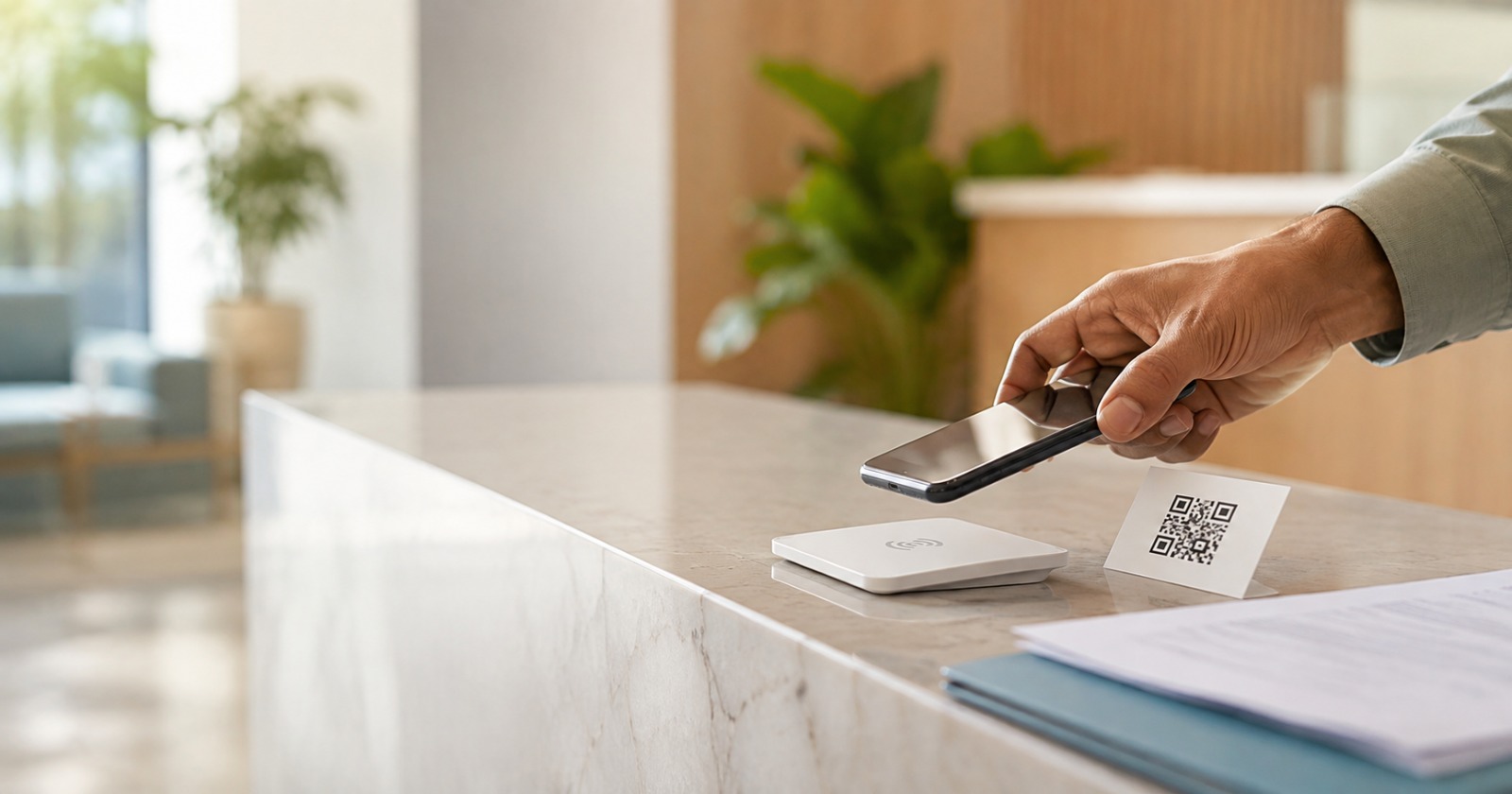
How to Get More Google Reviews for a Medical Practice Without Asking
Clinics can get more Google reviews without repeatedly asking patients face-to-face by making it effortless to leave one — in the clinic and afterward — with QR codes, NFC cards, and automated SMS or WhatsApp messages.
Google’s own guidance explicitly permits displaying a review QR code in your store and on receipts; what it prohibits is requiring or pressuring a patient to review before they leave, gating by sentiment, or offering an incentive.
Your front-desk team is managing check-ins, answering calls, processing payments, and handling a waiting room that never quite empties.
Asking every departing patient to leave a review, without sounding pushy and without disrupting checkout, is not a realistic ask. Most clinics know they need more reviews. Very few have a system that collects them reliably, inside Google’s actual rules rather than a guess at them.
Why Asking Patients Directly Isn’t a Reliable System
Satisfied patients genuinely intend to leave a review after a good visit. The problem is that intention and action are separated by too many steps. By the time the patient has walked to the car, found their keys, and switched mental gears to the next item on their list, the moment has passed.
There is no link saved anywhere, no prompt on their phone, and no reason to search out your Google listing voluntarily. The goodwill is real; the pathway to act on it usually isn’t there.
Verbal requests also put the entire burden on the patient, at the exact moment they’re mentally checking out of the visit and moving on with their day. Passive collection systems exist to close that gap by giving the patient a direct, ready-made link at a moment they’re likely to actually use it.
In the field, the pattern is consistent. A patient agrees a review would be no trouble, then spends the next while patting down a hospital bag for a phone buried under files and prescriptions, waiting for a signal to load, then either hunting for the camera app or searching for the clinic by name on Google themselves.
Nobody wants to hold up the queue over it, so the polite way out is “I’ll do it once I’m home, pucca” — and that promise, made in good faith, quietly fades the moment they’re back in their own routine.
There’s many a slip between the cup and the lip: a QR code asks a patient to get through four or five small steps in a row, under mild social pressure, with no guarantee the clinic’s network cooperates.
A single NFC tap collapses nearly all of that into one motion — no camera, no search, no typing — whether the patient uses it right there at the counter or takes the card home for later.
Google’s Current Review Rules — What Clinics Need to Know
Google’s own Business Profile help pages and its Maps content policy draw a clear line, and it’s not the line the industry commentary around this topic usually assumes:
- Making a review opportunity available is fine, including on the premises. Google’s own guidance for requesting reviews explicitly recommends printing and displaying a review QR code in your store, alongside adding it to receipts, thank-you emails, and WhatsApp messages.
- Requiring or pressuring a patient to leave a review before they leave the premises is not. Google’s Maps content policy states this directly: merchants must not require or pressure users to leave ratings or write reviews while on the premises, and must not request that specific content be included (such as naming a staff member) or ask staff to hit a review quota.
- Review gating has been prohibited for years. You cannot pre-screen patients by asking how their visit went and only sending happy ones to Google while routing unhappy ones elsewhere. Every patient gets the same link, regardless of how the visit went.
- Incentivizing a review is prohibited outright — a discount, gift, or loyalty perk in exchange for a review risks the review itself and the wider profile.
The practical takeaway: what matters is availability without pressure, not location or timing. A QR code on the counter, an NFC card at checkout, a take-home card, and a same-day WhatsApp message can all coexist — as long as nothing about any of them requires, pressures, gates by sentiment, or steers what the patient writes.
Three Ways to Make Reviews Easy Without Pressuring Anyone
QR Codes — On the Counter and On the Way Out
A QR code can sit at the checkout counter, in the waiting room, or travel home with the patient on a receipt or appointment card — Google’s own guidance recommends displaying it in-store as well as adding it to takeaway materials.
What makes it compliant isn’t where it’s placed; it’s that nobody is asked to complete it before they leave, and every patient sees the same code regardless of how their visit went.
The code should link directly to your Google review page rather than sending the patient through a homepage or contact form.
NFC Cards — A Single Tap, In-Clinic or Take-Home
An NFC card is a small, programmable card holding a single stored link. When a phone taps it, the phone’s NFC reader picks up the signal and opens the linked page directly, no app and no typing required.
It can sit at the checkout counter for a patient to tap on their way out if they’d like, or go home with them as a takeaway — either is fine, as long as it’s offered, not pushed, and nobody is held up over it.
Technically, the card’s antenna draws a small amount of energy from the phone’s NFC field, wakes the chip, and sends the stored URL back in a single brief exchange. Because the card is passive, it needs no battery and no charging.
Post-Visit SMS and WhatsApp Messages
This is the cleanest channel from a compliance standpoint, since the patient reads and acts on it after they’ve already left the clinic. Send it the same day, while the visit is still fresh, with a short, neutral message and a direct link:
“Hi [First Name], thanks for visiting [Clinic Name] today. If you have a minute, we’d really appreciate a quick Google review: [Review Link]. Thank you.”
Nothing in the message should reference the patient’s condition, treatment, or any clinical detail — “thanks for visiting” is safer and more compliant than anything that presupposes a clinical relationship.
What the Message Should Say (and What to Avoid)
Keep review requests short, neutral, and fully open-ended. “Scan to share your experience” works because it doesn’t reference the patient’s condition and doesn’t steer what they write. Three rules keep this compliant on every front:
- Under Clause 7.14 of the Code of Medical Ethics Regulations, 2002 — the doctor confidentiality provision currently in force, per NMC’s own 2023 notification reinstating the 2002 code — a registered medical practitioner may not disclose a patient’s secrets learned in the course of practice, with narrow exceptions (a court order, or a serious identified risk to a specific person). A review request that references the visit at all should stop at “thanks for visiting,” never the reason for it.
- Under India’s Digital Personal Data Protection Act, 2023 (DPDPA), using a patient’s contact details for a review request needs to be covered by the clinic’s actual notice, consent, or other lawful basis for processing — the Act allows both consent-based and certain “legitimate use” grounds, not consent alone. Keeping the message free of clinical details reduces unnecessary disclosure, but it doesn’t by itself establish DPDPA compliance; that depends on the clinic’s actual notice and consent setup, which is a clinic-specific question rather than something a message template resolves on its own.
- Under Google’s current review policy, don’t ask patients to mention a staff member by name or steer what the review should say. Keep the ask completely open-ended.
Whether you use WhatsApp, SMS, or email, prepare pre-approved response templates for incoming reviews too — staff replying to a negative review without guidance can accidentally reveal sensitive patient details. Move detailed complaints offline and keep public replies generic and process-focused.
Routing Reviews to the Right Profile in Multi-Provider Practices
Google’s own Business Profile guidelines allow an individual practitioner — a doctor, dentist, or similar public-facing professional — to hold a dedicated profile separate from the practice’s location listing, provided they’re directly contactable at the verified location during stated hours; support staff don’t get their own profiles, and a single practitioner shouldn’t run multiple profiles to cover every specialization.
For a multi-doctor or multi-location practice, that means routing matters as much as sending: if every automated message points to one generic link, reviews for a dermatology visit and a general practitioner visit land on the same profile, diluting visibility for both.
Match the patient to the correct profile before the message goes out — getting this wrong at setup means months of reviews building the wrong listing.
How Business Pilot Sets This Up for Your Clinic
Business Pilot’s consultancy team configures the full system: QR assets formatted for both in-clinic display and print takeaways, NFC cards programmed to the correct Google Business Profile for use at the counter or as a takeaway, and automated SMS/WhatsApp sequences that follow up after the patient has left as a second, no-pressure layer.
Profile routing is set up correctly from day one for multi-provider practices, and pre-approved response templates are provided for both positive and negative reviews. The clinic doesn’t need to buy software, manage a dashboard, or train staff on anything new.
Entry is a one-time clinic verification fee that covers a full 30-day consultancy trial — no subscription, no auto-billing at the end of the trial, and no obligation to continue.
The reason NFC sits at the centre of that setup rather than QR alone is the hospital-bag problem above — it’s the one point in the whole chain where a patient’s good intention most often quietly dies, and a single tap is the shortest possible distance between “yes, happily” and a review actually posted.
The Reviews Aren’t Missing — the Path To Leave One Is
Patients aren’t unwilling to leave reviews. They’re losing the path to do so somewhere between the consultation room and the car park, and the fix has to work within Google’s actual rules, not a guess at them. QR codes on the counter, NFC cards at checkout or in the patient’s hand to take home, and automated post-visit messages — offered, never required, and open to every patient alike — close that gap without asking anything of the doctor or the front desk.
Frequently Asked Questions
Is it against Google’s rules to collect reviews with a QR code or NFC card?
Not on its own, and not even if it’s on the counter — Google’s own guidance recommends displaying a review QR code in-store.
What’s against the rules is requiring or pressuring a patient to complete it before they leave, gating by sentiment, or asking for specific content like a staff member’s name.
What is review gating, and how do I avoid it?
Review gating is asking patients how their visit went first, then only sending happy ones to Google while routing unhappy ones to a private form. Google has prohibited this for years.
The fix is simple: every patient gets the same review link, regardless of how the visit went.
Do I need to offer patients anything in exchange for a review?
No, and you shouldn’t. Offering a discount, gift, or loyalty perk for a review is explicitly against Google’s policy and can put your whole profile at risk, not just the incentivized reviews.
Does a patient need to install an app to use an NFC card?
No. Modern smartphones read NFC tags natively. The patient taps the card with their phone, and the review page opens in the browser automatically.
How do I keep review requests compliant with Indian patient-privacy rules?
Keep the message about the visit experience, not the clinical encounter. Clause 7.14 of the currently operative Code of Medical Ethics Regulations, 2002 prohibits a registered medical practitioner from disclosing a patient’s secrets learned through practice.
Separately, using a patient’s contact details for a review request needs to sit within the clinic’s actual notice and consent basis under the DPDPA 2023 — that’s a clinic-specific compliance question, not something resolved by wording alone.
As a practical safeguard on top of both, Business Pilot recommends review requests never mention a diagnosis, treatment, or condition.